SHG List 2025 Assam: Search nrlm.gov.in Report Online
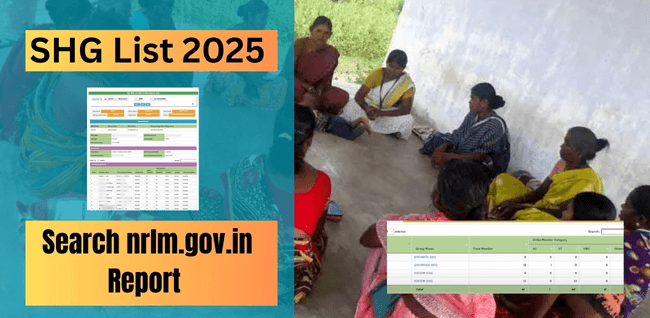
Short Info: The Indian Ministry of Rural Development published a list of SHG members by social category and block. The list of state-specific Self-Help Group (SHG) beneficiaries is provided by the National Rural Livelihood Mission (NRLM). Self-Help Group members can simply follow the instructions and look up their names in the beneficiary list if they would like to look up their names under the SHG List 2025. Information regarding Self-Help Groups, Member Names, Gram Panchayat Names, Village Names, Self-Help Group IDs, and Bank Account Details may be found under the SHG List.
What is Self-Help Groups (SHGs)?
Small groups of women (10 to 25) that want to start small companies are called Self-Help Groups. The majority of SHG group members are in the 18–40 age range. These groups aim to raise their level of living and obtain better job opportunities. This kind of SHG Group is being promoted by a variety of governmental and non-governmental organizations in both urban and rural regions of India.
Helpful Summary of SHG List 2025 Assam
| Key Highlights | Details |
| Name of the Scheme | SHG List |
| Launched By | Ministry of Rural Development of India |
| Announced By | Government of India |
| Purpose | Allow female citizens start their entrepreneurship journey |
| Beneficiaries | Citizens of India |
| Target Beneficiaries | SHGs Members |
| Eligibility Criteria | Female citizens of Assam |
| Required Documents | Aadhaar Card, Bank account |
| Application Process | Online |
| Official Website | https://nrlm.gov.in/ |
Required Documents
- State Name
- District Name
- Block Name
- Gram Panchayat Name
- Village Name
- Group Name
How to Search SHG List 2025 Assam (Category Wise)?
Step 1: If a SHG group member want to see their name on the SHG List, they must first go to the official NRLM SHG website.
Step 2: Select the SHG List Category Wise option in the following step.
Step 3: A list of self-help groups by state will then be displayed to you.
Step 4: At this point, choose the state you wish to search the beneficiary list for.
Step 5: We are choosing the Assam State Option, for instance.
Step 6: The District District-wise list option will show up when we click on the Assam state option.
Step 7: The block name will show up when the district has been chosen.
Step 8: Following the block name selection.
Step 9: Next, choose the name of the gram panchayat.
Step 10: Choose the village name in the following step.
Step 11: Choose the group name in the final step.
Step 12: Your computer or mobile device will display all of the SHG List’s details.
Detail Mentioned Under Category Wise List
- State Name, District Name, Block Name and Village Name
- SHG Name
- Self-Help Group ID
- SHGs Type
- Date of SHG Formation
- Member Name
- Desigation
- Category
- Bank Account Details
How to Search SHG List 2025 Assam (Block Wise)?
Step 1: If a SHG group member want to see their name on the SHG List, they must first go to the official NRLM SHG website.
Step 2: Select the SHG List Block Wise Option in the following step.
Step 3: Choose the state, district, block, gram panchayat, and village names now.
Step 4: Click the submit button once all the options have been chosen.
Step 5: At this point, you will see the SHG Block Wise List.
Detail Mentioned Under Block Wise List
- State Name, District Name, Block Name and Village Name
- SHG Name
- Member Name
- Father/Husband Name
- Gender
- Age
- Category
FAQs
What is the official SHG List 2025 Assam Online search website?
The official website for the Search SHG List 2025 Assam Online is https://nrlm.gov.in/.
What is the SHG’s full form, please?
Self-Help Groups is the full name of SHG.
What Information Is Included in the SHG List?
The beneficiary list should include the following information State, District, Block, Village Names, SHG Name, Self-Help Group ID, Date of Formation, Member Name, and Bank Account Details.